

Build your event
Build the whole event, one decision at a time.
Choose the date, find the venue, add food, entertainment, photography, staff and anything else the event needs — all around one plan.
Creating an account and planning are free. Booking fees are shown before you pay.
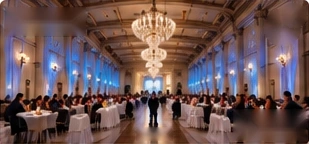 HallGrand HallConfirmed
 DJSoundWaveHeld
 CateringTaste & CoConfirmed
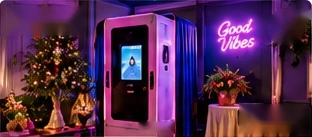 PhotographerLens & LightRequested
 Mobile barRiverside BarsRequested
5 of 7 essentials covered£3,950 of £5,000 budget
Illustrative exampleEvent type
Start with the kind of event — Gala Dock adapts the plan.
A wedding needs different things, in a different order, from a children’s party. Pick one to see the plan it starts from.
The event build canvas
See the event take shape as you add what it needs.
Drag a supplier onto the plan or use the add buttons. The budget and readiness update as each essential is covered.
- VenueGrand HallConfirmed£1,800
- Food & DrinkCatering · 80 guestsConfirmed£1,050
- Photo & VideoPhotographerRequested£450
- Food & DrinkMobile barRequested£500
Dependencies
An event isn’t a shopping basket.
Some bookings only make sense once others are certain. Gala Dock holds the DJ and caterer for your date while the venue confirms, then opens the booking window for them.
- Provisional holdsSuppliers keep the date for a set window, usually 48 hours. Nothing is charged.
- Response windowsEach request shows when the provider needs to answer by.
- Holds expireIf a hold runs out, the date goes back to the provider — nothing is owed.
- 1Venue requested; DJ and caterer provisionally held
- 2Venue confirmed — the booking window opens
- 3DJ and caterer confirmed
Venue requested; DJ and caterer provisionally held
RequestedHeldConfirmed
Emergency availability
Something changed? Find providers who can respond quickly.
Providers can mark short-notice availability, so last-minute gaps can be filled without starting from scratch.
Choose what you need and press Show example results.
Planning timeline
The right tasks appear when they matter.
Your plan counts down to the date and surfaces each step at the right moment — nothing to manage, just the next thing to do.
Event date · Sat 24 Jul
- VenueBook the venue first — everything else depends on it.Done
- EntertainmentUnlocks after the venue is confirmed.After venue confirmation
- Final guestsConfirm numbers for catering and staff.
- Reconfirm suppliersArrival times and contacts checked.
- Readiness checkAnything missing is flagged in time.
- Enjoy itThe run sheet is ready on your phone.
Booking confidence
See what is confirmed, pending and protected by the platform workflow.
- You pay each provider directly through Stripe, the payment firm Gala Dock uses. Gala Dock never holds your money.
- Providers are paid out through Stripe, and payouts are released on approved triggers — such as the event passing with no issue raised.
- Add a backup for critical roles. If the primary drops out, the backup is offered the booking first.
How it works: payment protection · fees in our Terms
- VenueGrand HallConfirmedDeposit paid · balance due before the event
- DJSoundWaveConfirmedDue when the booking is charged
- PhotographerLens & Light · backup: Frame StudioPrimary + backupBackup on standby · nothing charged
- CateringTaste & CoAwaiting confirmationNothing charged until confirmed
From build to event day
The things you chose become the plan you run.
Every booking already knows its time and place, so the build turns into a simple event-day timeline.
Your build
- Venue access
- Catering
- DJ
- Photographer
Sat 24 Jul · event day
- Venue access
- Catering
- Guests arrive
- DJ
- Photographer